Send Interactive Button List
POST/nusasms_api/1.0/wa_business/interactive/button_list
Requirement
To send this type of (just like Reply) message, you must first establish a Conversation room with the recipient. In other word, your recipient must sent a message to your gateway.
Interactive button list message allow you to present WhatsApp users with a list of options to choose from (options are defined as rows in the request payload):
Json Request Components
header: Header title text
optional
max 60 charactersbody: Message text body
required
max 4069 characters_footer: Foot note message
optional
max 60 charactersaction: The button list, that can be grouped into sections,
actionconsist of max 10 sections, with 10 rows for all section combined
button_id
button_id is a identifier of the buttons.
Every button's button_id should be unique.
This useful when use subscribe Push Inbox (webhook / callback),
which the selected button_id will be shown on the webhook call request data.
Example
{
  "gateway_id": "YOUR_GATEWAY_ID",
  "recipient": "RECIPIENT_NUMBER",
  "header": { "text": "Header Title" },
  "body": {
    "text": "Text body here. This section is required (max 4096 chars)"
  },
  "footer": { "text": "Footer text" },
  "action": {
    "text": "Button List Title",
    "sections": [
      {
        "title": "First Section",
        "rows": [
          {
            "button_id": "btn_id_1",
            "title": "First item",
            "description": "This section item description"
          },
          {
            "button_id": "btn_id_2",
            "title": "Second item",
            "description": "This description is optional"
          }
        ]
      },
      {
        "title": "Second Section",
        "rows": [
          {
            "button_id": "btn_id_3",
            "title": "First item"
          }
        ]
      }
    ]
  }
}
Preview
Here is the preview when you got this type of message.
Received Message
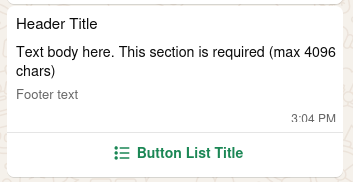
Show List
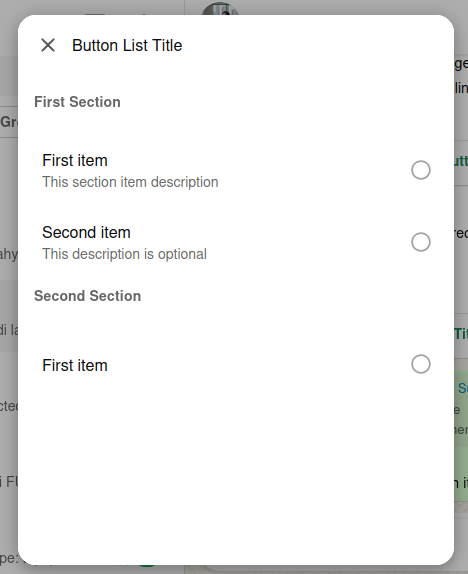
Click or Touch a Choice
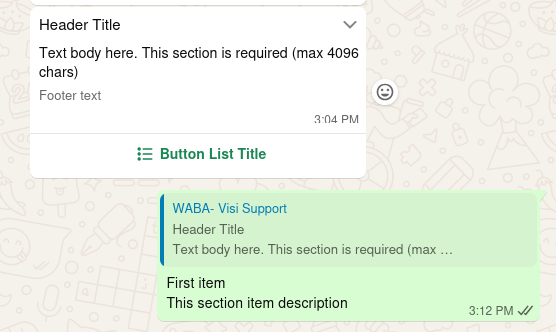
Request
Responses
- 200
- 400
- 403
- 422
Successful Response
Request validation error
Forbidden access
Validation Error